











You’ll need a Deployment Starter, Teams or Enterprise license to use Flow Navigator.
Flow navigator
Visualize the changes to your Flows before deploying.
Take control of Flows with the only visual Flow deployment tool on the market. See how Flows Navigator works:
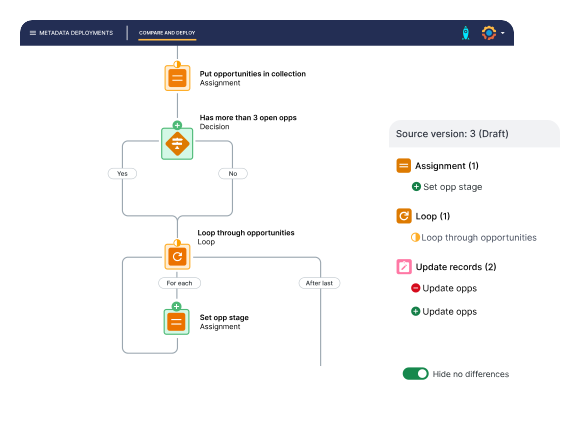
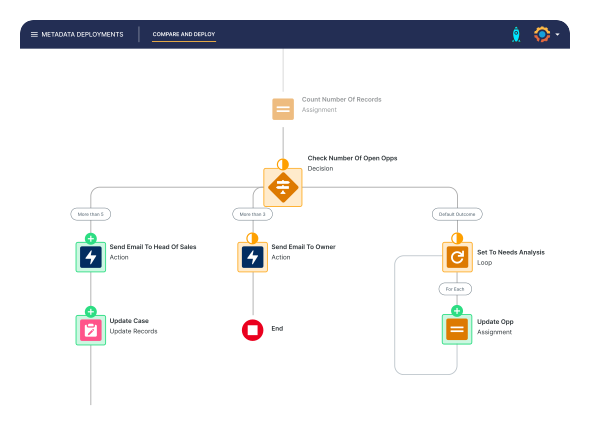
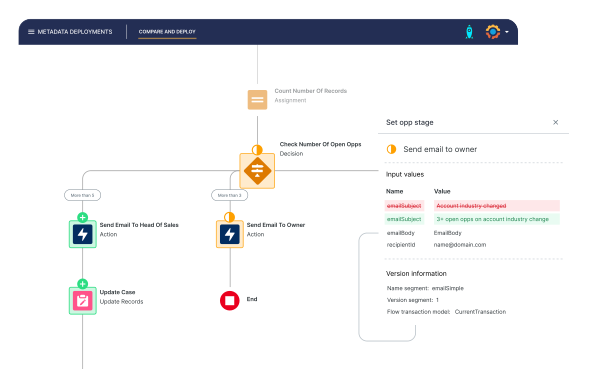
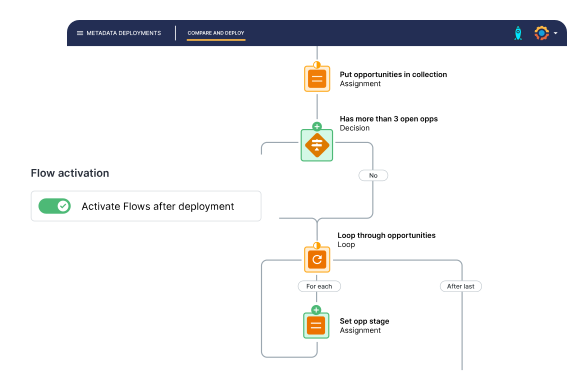
Flow Navigator’s interactive diagram and sidebar highlight new, changed and deleted elements. It’s easy to spot changes, then drill down into the details.
Stop wasting time deploying blindly, only to then check your orgs to see what you’ve done. In Gearset’s Flow Navigator, you can deploy faster with confidence, knowing how your Flow will look in production.

I love Flow Navigator, I can see everything just like in Salesforce but even better. All the changes are highlighted and it’s very easy to navigate.
Senior Salesforce Developer
MathWorks
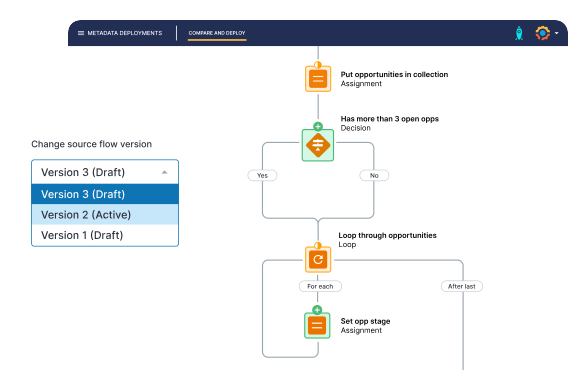
Got work in progress that isn’t ready for deployment? Gearset’s Flow Navigator lets you switch between Flow versions and deploy whichever one you need.
No one likes accidentally overwriting someone else’s changes. With Flow Navigator, it’s easy to see when you’re missing your teammate’s changes.
Forgetting to activate the Flow in production after you’ve deployed it is a pain. With Flow Navigator you don’t have to go into the target org to manually activate it. You can activate the Flow whilst you’re preparing the deployment, so that the changes you’ve made take effect straight away.
You’ll need a Deployment Starter, Teams or Enterprise license to use Flow Navigator.
No! The interactive diagram looks just like it does in Salesforce Flow Builder, making it easy to see exactly what changes you’re deploying.
Flow Navigator supports any Flows built in Salesforce Flow Builder, including autolaunched, record-triggered and screen Flows.